

Nano Banana 2 (ViNano AI 2&Pro) Advanced AI Image Editor
✨Create and edit images, then generate videos with natural language✨
ViNano AI is a platform for creating and editing images and generating videos with natural-language prompts and reference images. Choose a supported model and adjust the available settings in your browser.
 GPT Image
 Nano Banana
 Seedance
Content generated on this platform is produced by artificial intelligence models and does not represent the platform's position. [Disclaimer]. [Privacy Policy].
All Available Modes (26)
Featured Case Studies
At ViNano AI, use the most advanced ViNano AI model technology to generate images, then explore exciting AI-generated video content, experience the unlimited possibilities of creative videos

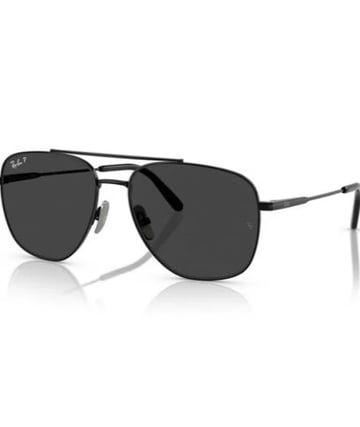
E-commerce Product Runway
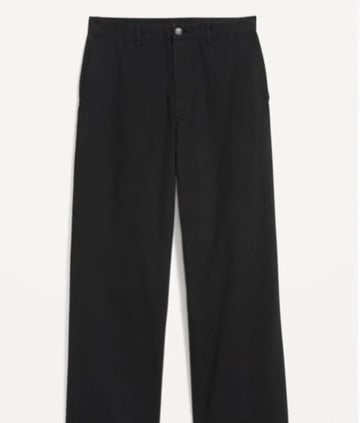
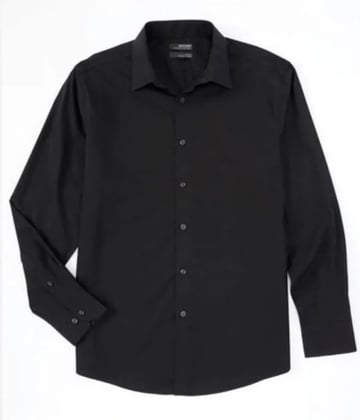
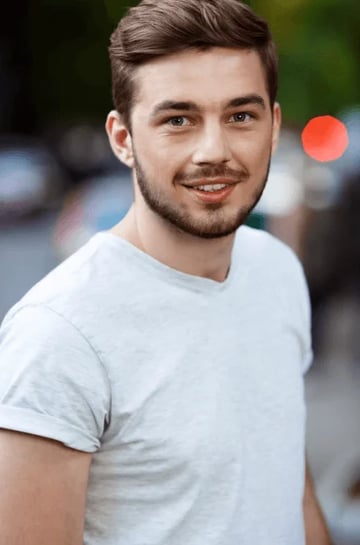
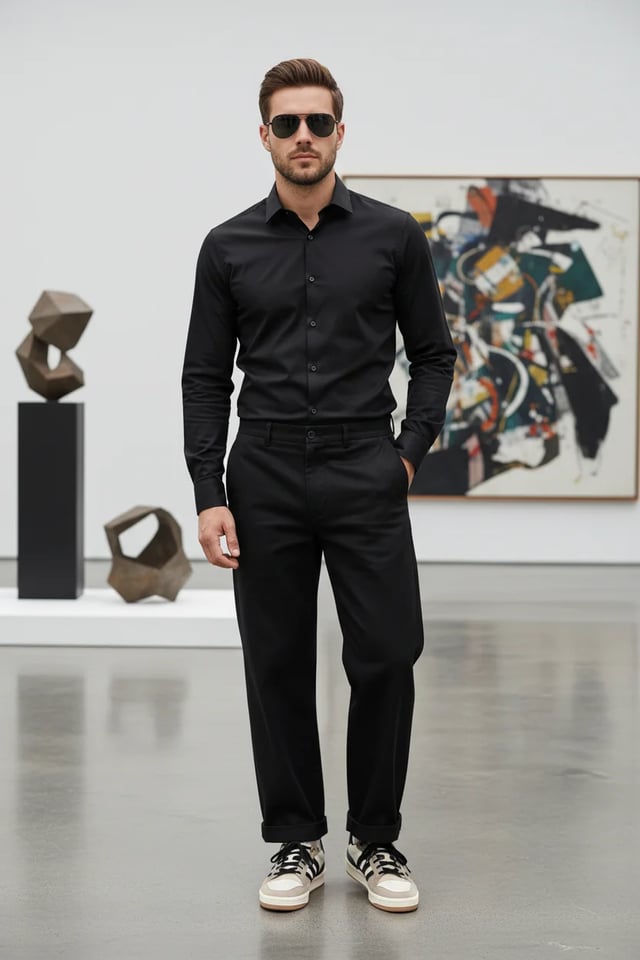
From image to product runway video, you only need a few product material original images, and it can be completed in a few minutes.
Step Process
Prompt example for generating e-commerce product display image
"Compose a complete men's outfit photograph featuring: stylish clothing items, accessories, sunglasses, and the male model wearing the complete coordinated look. Create a full-body fashion photograph with professional studio lighting. Show the outfit styling in an elegant, modern setting. Use fashion photography techniques with proper posing, lighting, and background. Ensure all accessories complement the overall aesthetic for a sophisticated, contemporary men's fashion editorial look."
...Click to view full promptPrompt example for generating e-commerce product display video
"Generate a cinematic high-fashion runway show video featuring a confident male model wearing an all-black outfit (black shirt, tailored black trousers, sunglasses, and stylish sneakers). The runway is futuristic and illuminated by dramatic white spotlights, with a cheering audience seated on both sides, flashing cameras, and a glamorous fashion week atmosphere. Start with an establishing wide-angle shot: the runway extends forward, lined with LED floor panels glowing beneath his steps. Audience members clap, some raise phones to record, flashes from cameras sparkle across the room. Cut to a medium shot of the model walking confidently, his sunglasses reflecting the bright runway lights. Track the camera smoothly alongside him, highlighting his posture and self-assured expression. Transition to a close-up slow-motion shot of his feet as they strike the runway with sharp precision, showing detail in his sneakers and the polished surface of the stage. Switch to audience reaction shots: elegant guests applauding, paparazzi taking photos, phones capturing video, faces lit by camera flashes. Add dynamic pans that follow the energy of the crowd. Include background details like fashion show banners, subtle haze from stage fog, and moving spotlights crossing the ceiling. Introduce a crane shot sweeping from above, capturing the model's silhouette walking down the illuminated runway, surrounded by light beams cutting through the dark hall. Transition to a dolly-in shot focusing on his torso and face, emphasizing charisma and presence. Add subtle lens flares and cinematic depth of field. As he approaches the end of the runway, create a dramatic pause: zoom in to his face as he briefly removes his sunglasses, looking into the camera with a confident smirk. Audience erupts with applause, flashbulbs explode, and the lights intensify around him. Conclude with a full frontal shot: the model stops at the runway edge, striking a final pose under a spotlight, with the crowd cheering and lights shimmering. Fade out with the echoes of applause and the flicker of camera flashes, leaving a powerful high-fashion impression."
...Click to view full prompt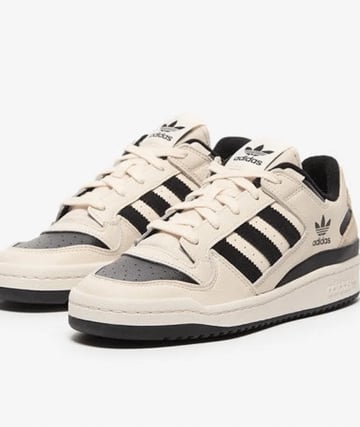
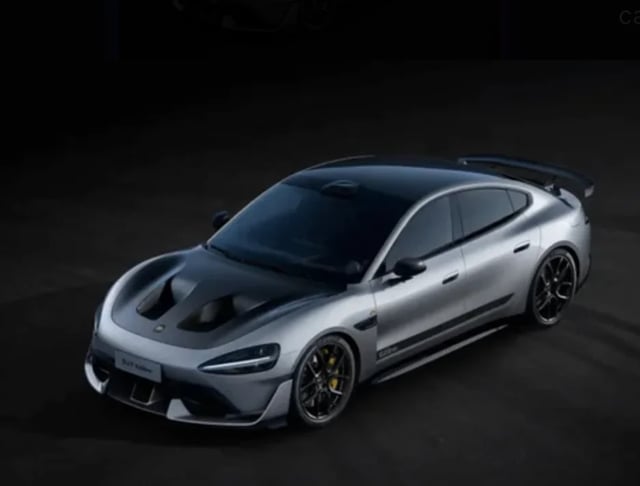
Sports Car Assembly on Track
From car parts image, assembly into sports car, then AI-generated track video, you only need one car material original image, and it can be completed in a few minutes.
Step Process
Prompt example for generating sports car assembly image
"Assemble the car parts in this picture into a complete sports car, viewing at a 45-degree angle, keeping the body color unchanged"
Prompt example for generating track video
"An 8-10 second cinematic car commercial. A futuristic silver sports sedan with a carbon-fiber hood races down a dark runway at night. Start with a dramatic wide shot of glowing runway lights igniting one by one as the car speeds forward. Camera sweeps low across the asphalt, capturing sparks from the tires and golden brake calipers flashing. Slow-motion side view of the car drifting through neon-lit curves, the metallic body reflecting streaks of light. Quick aerial drone shot as the car accelerates, engine roaring, leaving behind glowing light trails. Final close-up: the car bursts through smoke, headlights blasting directly into the lens, ending with a neon logo reveal and explosive bass hit."
...Click to view full prompt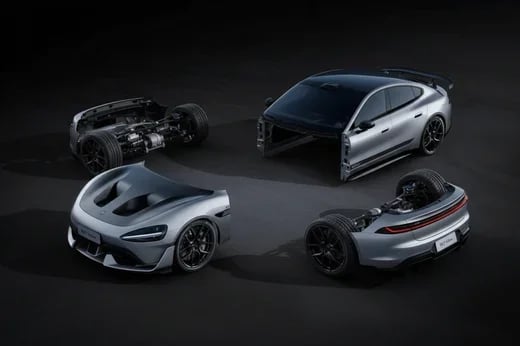
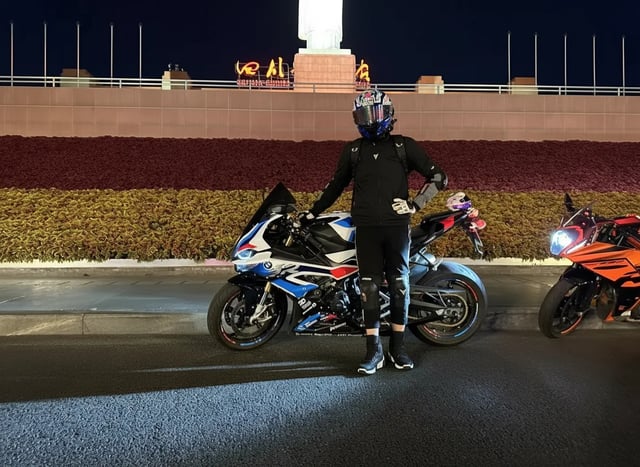
Cool Vehicle Pose
From ordinary vehicle photos to cool character poses, showcasing more dynamic vehicle-themed scenes, requiring only one original image to complete the creation.
Step Process
Cool pose image generation prompt example
"Change the person in the photo to get out of the car, stand next to the car, and pose in a cool way"
Motorcycle racing in rain video generation prompt example
"Use the motorcycle and rider in the picture to generate a photo of riding fast in the rain. In the lens, you can see raindrops falling, passing through a puddle, splashing a little water towards the lens, and then the lens immediately switches to capture the back of the motorcycle."
...Click to view full prompt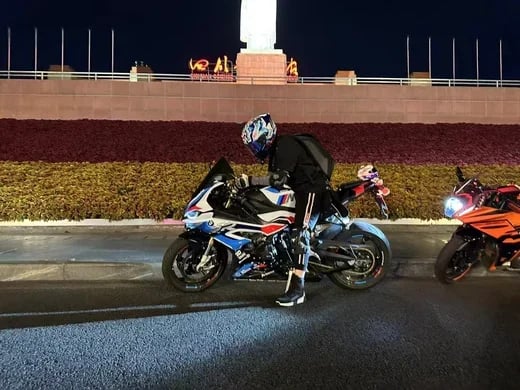
Sci-fi Warrior Transformation
Amazing transformation from business person to future warrior, cinematic special effects showcasing sci-fi charm.
Step Process
Sci-fi warrior transformation video generation prompt example
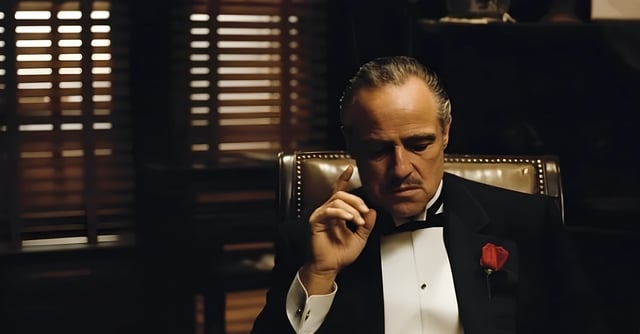
"A cinematic 8-second video in a dark, dramatic office with Venetian blinds casting striped shadows across the room. Scene begins with the man on the left, who was leaning in to whisper, slowly standing upright and walking away into the shadows. The camera tracks smoothly, keeping the central figure in focus. The central man, seated in a leather chair, lowers his hand, then rises slowly with authority. As he stands, his elegant black tuxedo instantly transforms into a glowing, futuristic Iron Man–style suit of armor, with metallic plates snapping into place across his body in rapid succession. The camera performs a dynamic dolly zoom, emphasizing the transformation. Once fully armored, he raises his right arm, a glowing weapon emerges, and he points it directly at the camera. The camera shifts to a close-up, the glowing barrel of the weapon filling the frame. In the final moment, a powerful energy blast fires directly into the lens, and the screen flashes white with cinematic sound design."
...Click to view full prompt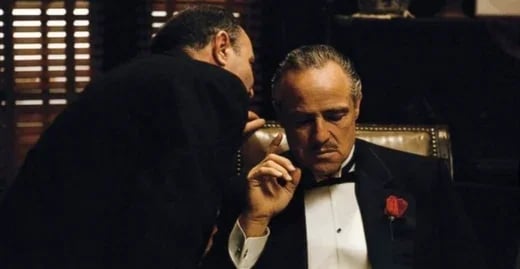
ViNano AI 2&Pro Image Creation Tools
Image generation and editing with text prompts and reference images. Resolution and available settings depend on the selected model.
Image Generation
Image generation and editing with text prompts and reference images. Resolution and available settings depend on the selected model.
Selectable Output Resolution
The default resolution is 1K. Available 1K, 2K and 4K options depend on the selected model configuration. Choose the resolution before generating; output is not automatically upscaled.
Prompt-Guided Image Editing
Describe changes to lighting, color or detail. Review the generated result and refine the input as needed; additional enhancement is a separate operation.
Multilingual Text Rendering
Generate text in different languages and styles. Accuracy depends on the model, wording and layout; review spelling and legibility before use.
🚀 Lightning-Fast Speed
Generation time depends on the model, resolution, request complexity and service load. Some requests take longer; check the task status for progress.
🌍 Global Language Support
Supports 11 languages interface and prompts. ViNano AI 2 enables creators worldwide to experience top-tier AI image generation
Prompt-Based Creation
Describe your image, select a supported model and resolution, then generate. Review the result and adjust the prompt or reference images as needed.
Start with a Prompt
Enter a prompt or upload a reference image, choose the available settings and review the displayed credit cost before generating.
💰 Transparent Pricing
Credits per image depend on the selected model, resolution, priority channel and account payment status. Review the total shown before generation; separately requested editing or upscaling is not included in a flat per-image price.
ViNano AI 2&Pro Image Creation Tools
Image generation and editing with text prompts and reference images. Resolution and available settings depend on the selected model.
- Text-to-Image CreationDescribe your image, select a supported model and resolution, then generate. Review the result and adjust the prompt or reference images as needed.
- Image EditingDescribe changes to lighting, color or detail. Review the generated result and refine the input as needed; additional enhancement is a separate operation.
- Selectable Output ResolutionThe default resolution is 1K. Available 1K, 2K and 4K options depend on the selected model configuration. Choose the resolution before generating; output is not automatically upscaled.
ViNano AI 2&Pro FAQ
Common questions about Gempix2 (ViNano AI 2&Pro) AI image generation tool. Learn how to use ViNano AI 2&Pro to generate stunning images
What is ViNano AI 2&Pro? Why is it so popular?
Are Gempix2 and ViNano AI 2&Pro different?
What are the quality advantages compared to other AI tools?
Can I use ViNano AI 2&Pro without knowing Prompt writing?
What is the cost of generating an image?
What languages and use cases are supported?
How do I choose the output resolution?
Can generated images be used commercially?
Create Images with ViNano AI 2&Pro
Enter a prompt or upload a reference image, choose the available settings and review the displayed credit cost before generating.